Camera window
The Camera window appears on the left side of the screen.
Its one of two options for selecting the cameras connected to your Edge devices (the other option is TYPE).
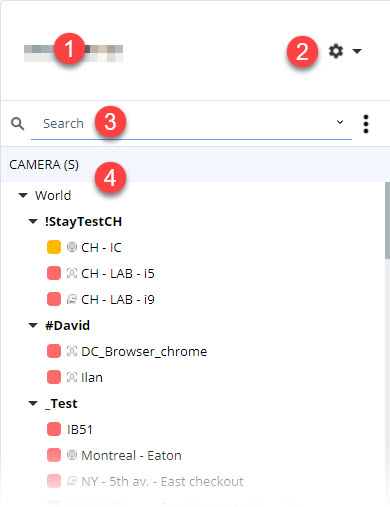
- The user name appears in the upper left corner of the window.
- The Main Menu (gear icon) lets you access the main options.
- The Search field lets you quickly find your Edge devices.
- The Camera view.
You can also group your Edge devices together based on the criteria of your choice.