Camera
The camera window shows a list of groups and sub-groups of Edge devices.
The Camera menu
Right click on any group/level to access these options:
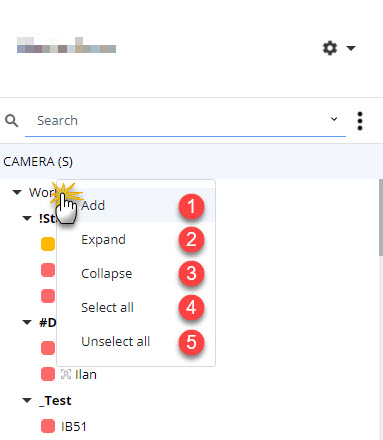
- Add a new group. This will create a sub-group under the current level.
- Expand the collapsed view. When a root level is selected, expands all the levels below.
- Collapse all the levels. Reverse of Expand.
- Select all selects all the Edge devices from the current level down. If performed from the root level, selects all the Edge devices.
- Unselect all deselects all the Edge devices from the current level down. Reverse from Select all.