Navigating and selecting using the menu
Right-clicking on any group or sub-group brings up several options:
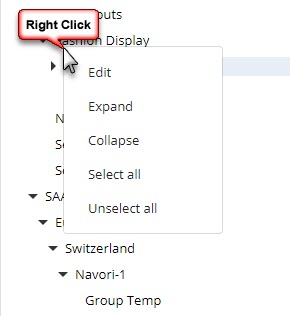
- EDIT: Opens the group edit window where you can edit the group's name.
- EXPAND: Expands the currently selected group to show sub-groups or Edge devices.
- COLLAPSE: Collapses the currently selected group to hide sub-groups or Edge devices.
- SELECT ALL: Selects all Edge devices at the current level and any sub-levels.
- UNSELECT ALL: Deselects all Edge devices at the current level and any sub-levels.