Creating groups and sub-groups
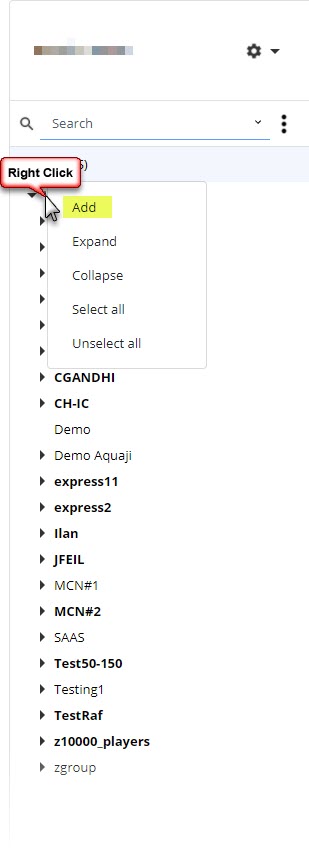
To create a new group, right-click on the top (root) level and select Add.
NOTE: to create a sub-group, right-click on an existing group. This will create a new sub-level. You can create as many sub-levels as required.
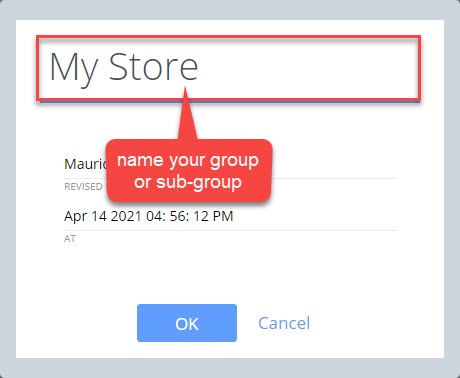
Give your new group or sub-group a descriptive name (store name, location code or other easily identifiable name).
Organizing your Edge devices
You can create complex organizations to match your needs.
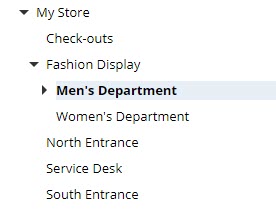
In the example above, Men's and Women's Departments are sub-groups of Fashion Display. The Men's Department is shown in bold because it has at least one Edge device assigned to it. Edge devices can only be assigned to the lowest branch of your network tree. Based on the network above, you can assign Edge devices to the Check-outs, Men's Department, Women's Department, North Entrance, Service Desk and South Entrance groups/sub-groups. You can't assign any Edge devices to the Fashion Display group because it already contains two sub-groups.