Transferring a Aquaji Edge license to a new device
Activating an Aquaji Edge license binds it to the hardware.
To transfer a license to a new device, you must proceed as follows.
- If you don't plan to re-use the currently registered device with a new license later, uninstall the software and then turn-off the device.
- Make sure the Edge device status in the Aquaji UI shows RED.
- Open the Edge device properties and go to the second screen.
- Under LICENSE INFORMATION, click the RESET THE LICENSE button.
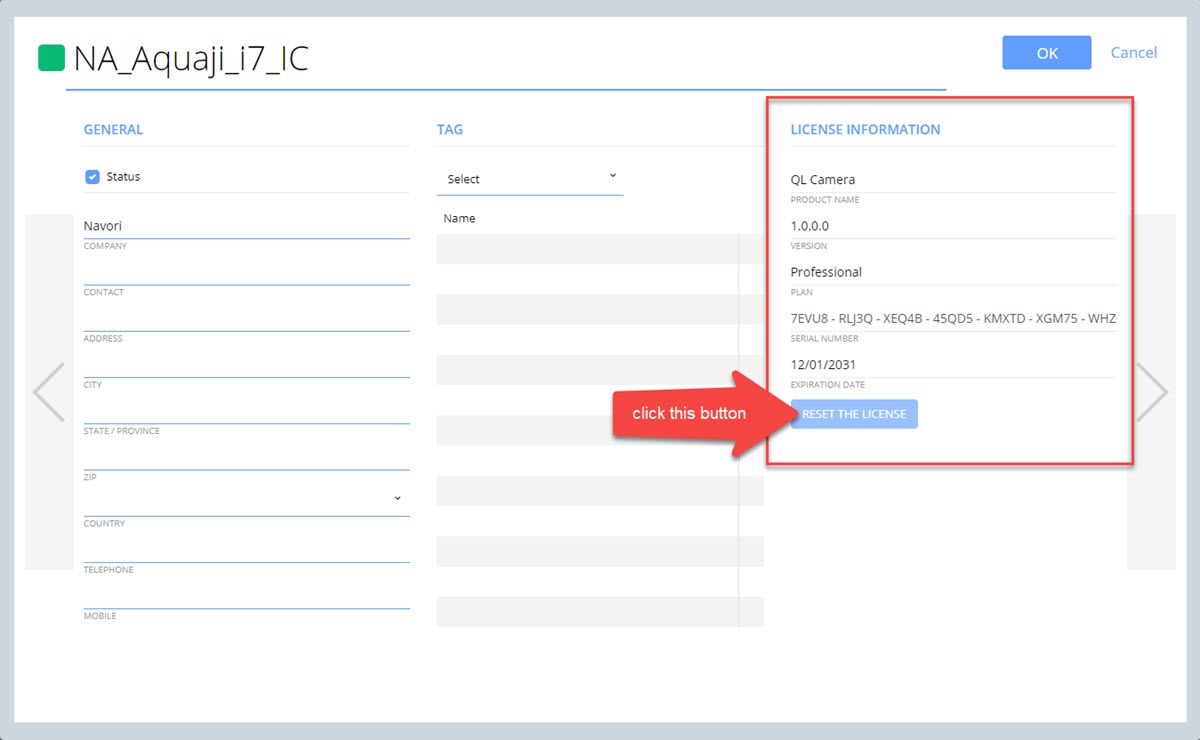
Once the license has been reset, its status will show GREY.
NOTE: The RESET THE LICENSE button is only enabled while the Edge device status is RED.
You can now activate this license on another device.