How to download the Aquaji Edge software
The Aquaji Edge software is downloaded from the Aquaji UI and installed on your Edge device.
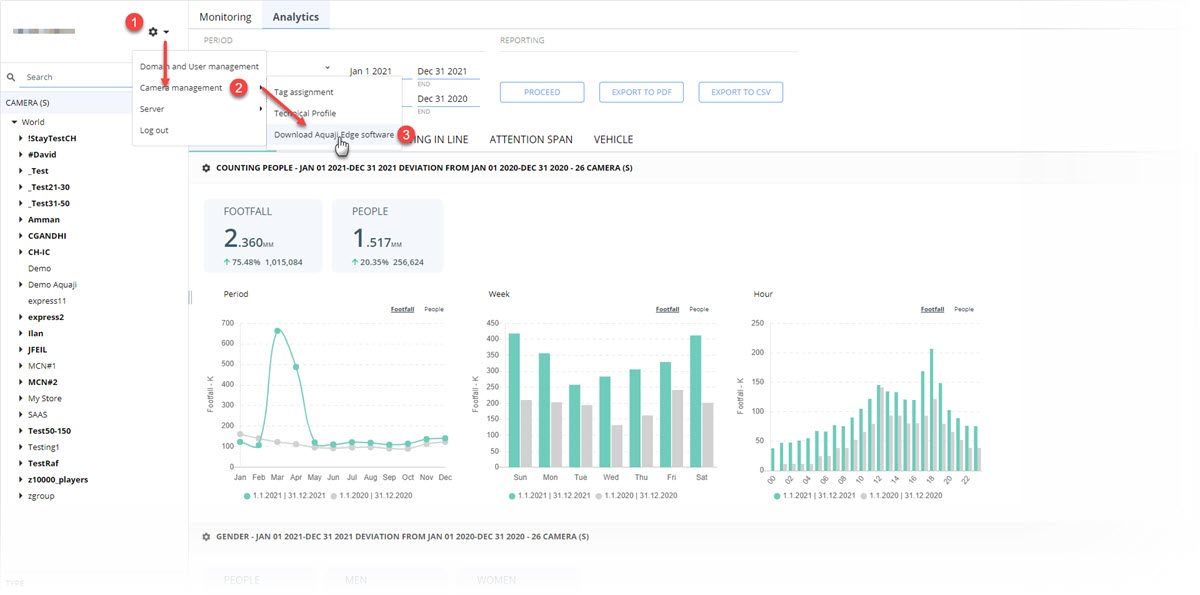
- Click the Main Menu (gear) icon.
- Select Camera Management.
- Select Download Aquaji Edge software.
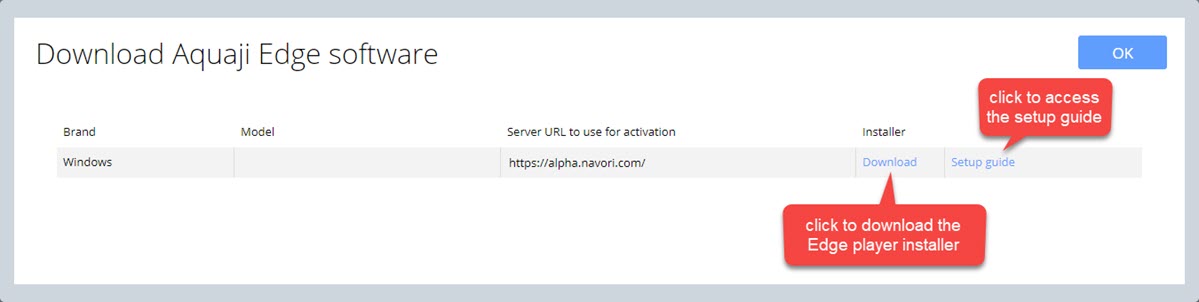
- Click Download and specify a location where to save the file.
- Copy the file to your Edge device for installation. If you accessed the Aquaji UI from the device, launch the software installer to proceed.
- You can access the online setup guide by clicking the Setup guide link.