Attention span mode
When operating in this mode, Aquaji measures the number of people who are paying attention to an item, content, display or location.
The time spent looking and the audience's viewing angle determine the "opportunity to see" (OTS) and the conversion rate.
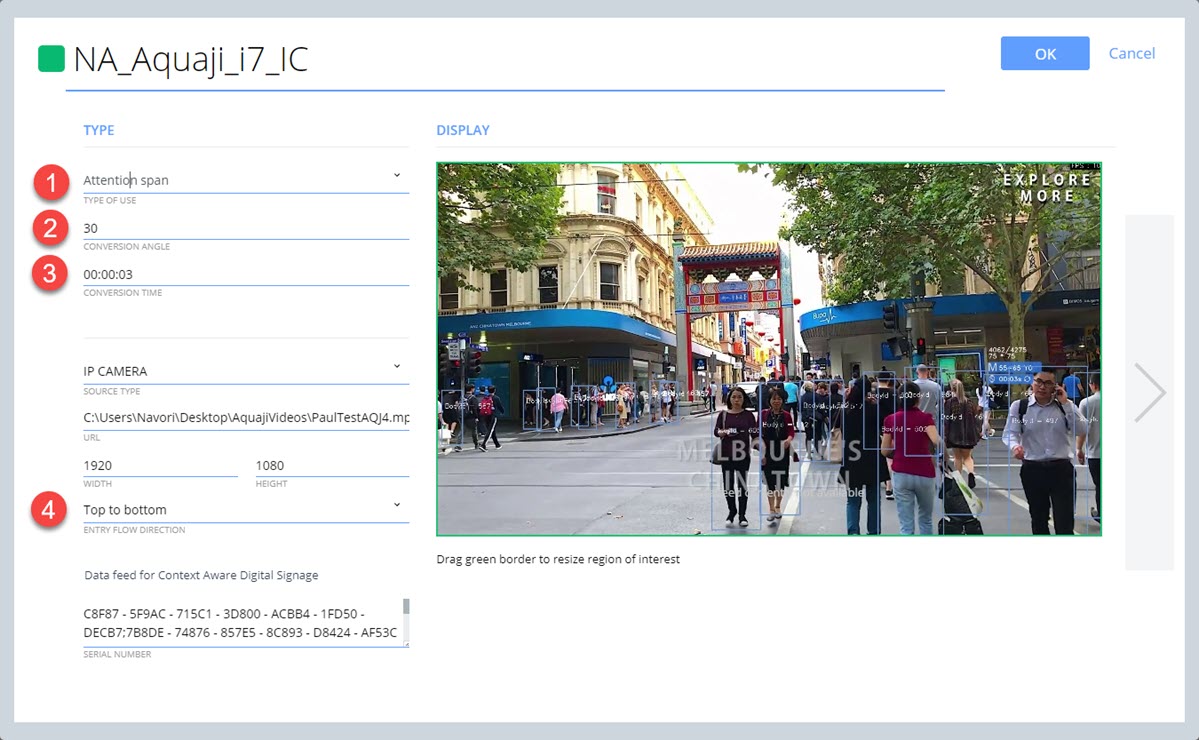
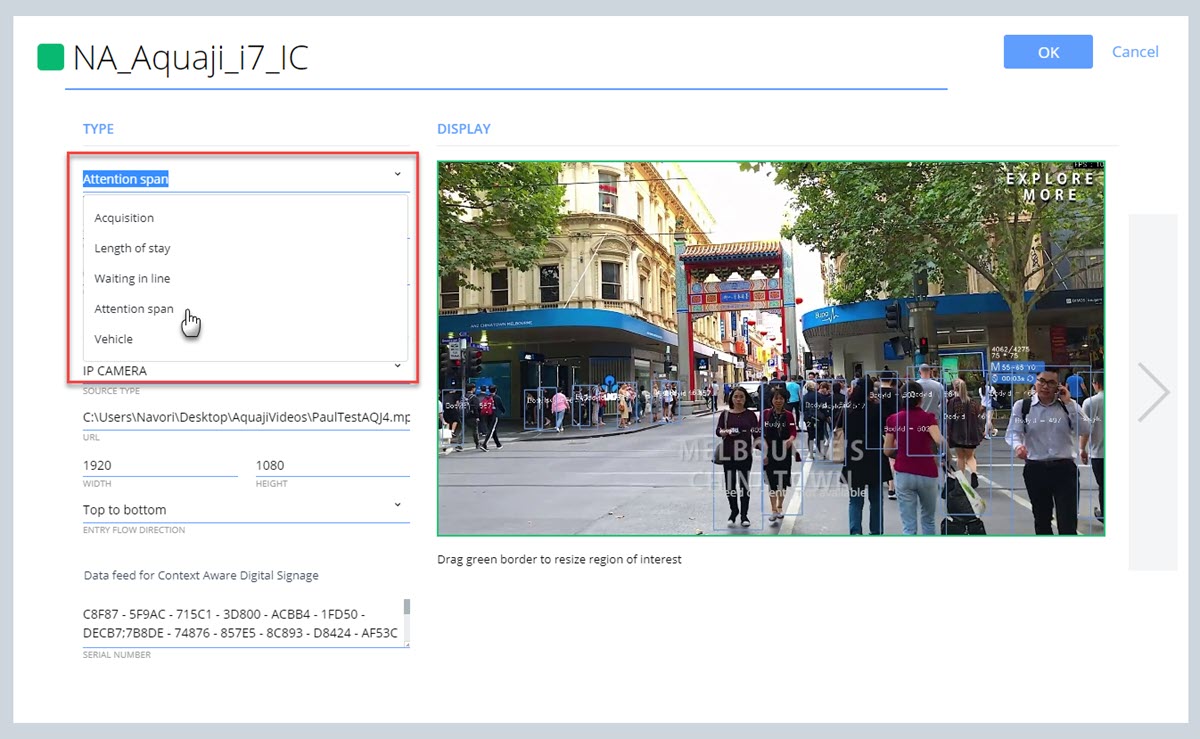
- Set the TYPE OF USE to Attention span.
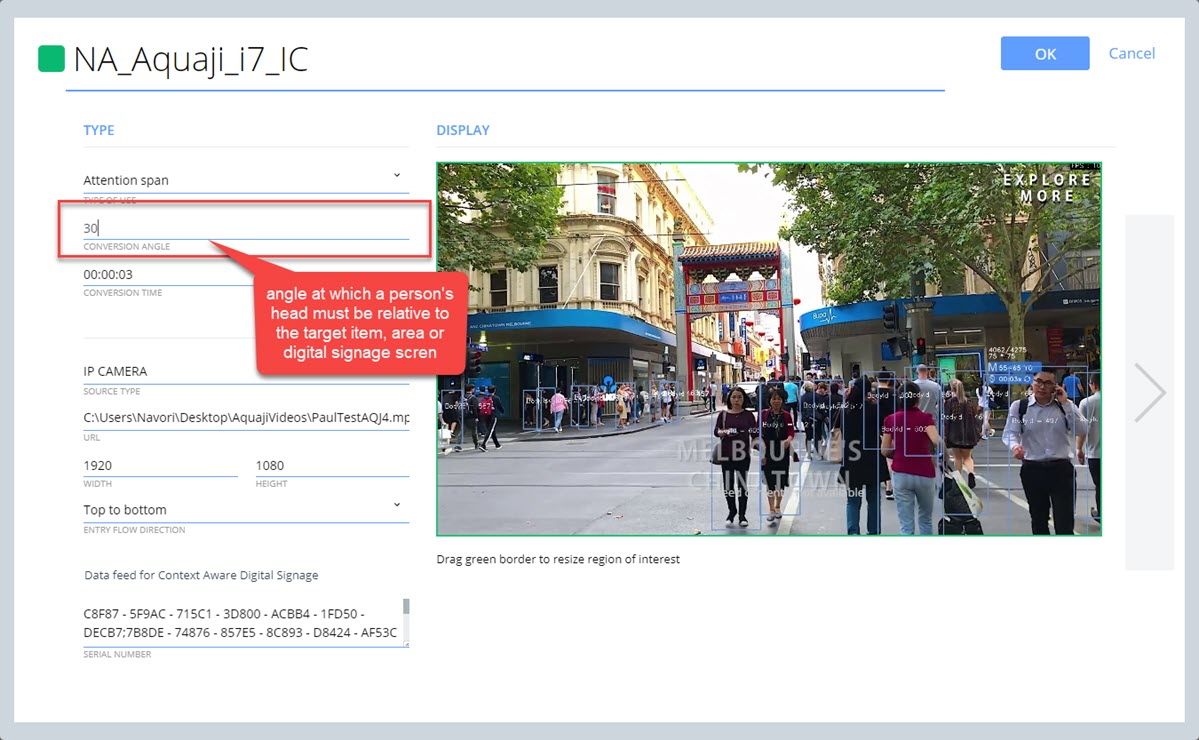
- Set the CONVERSION ANGLE:
- This is the angle of a viewer's head relative to the item, area or digital signage screen that we wish to monitor.
- It is used to determine if a person is looking at the target.
- Set the CONVERSION TIME: Period of time a viewer has their head turned towards the target area as defined in the CONVERSION ANGLE.
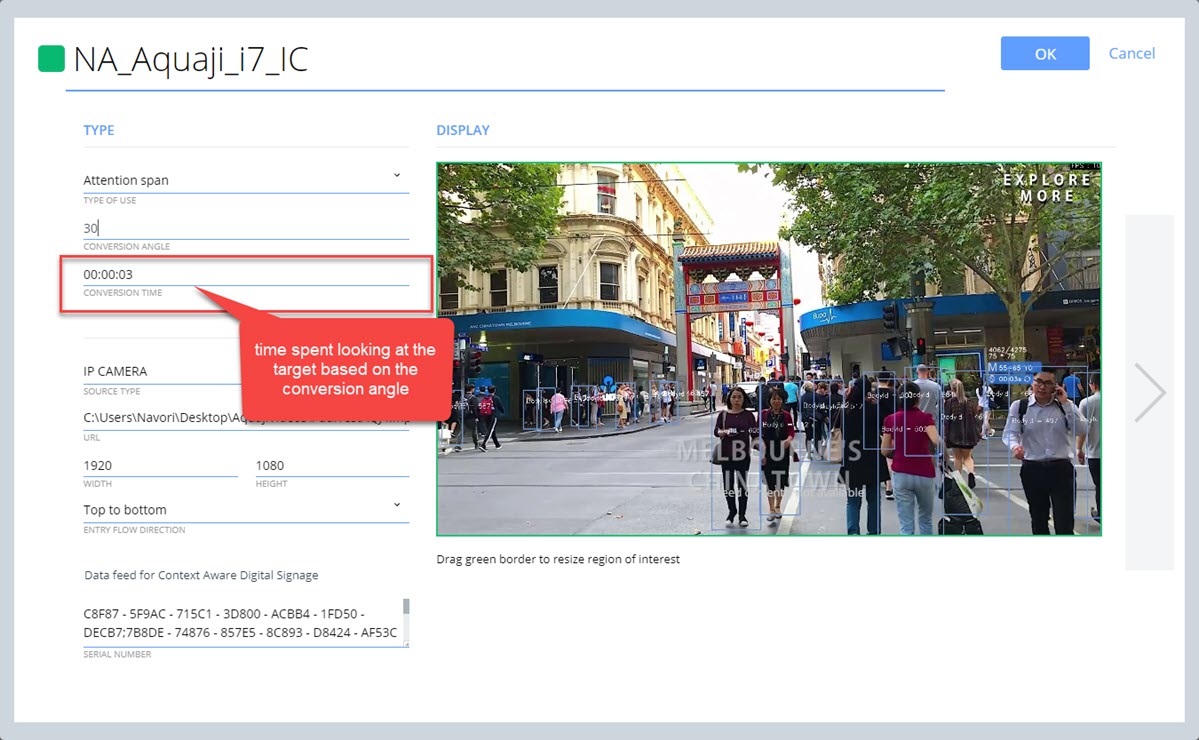
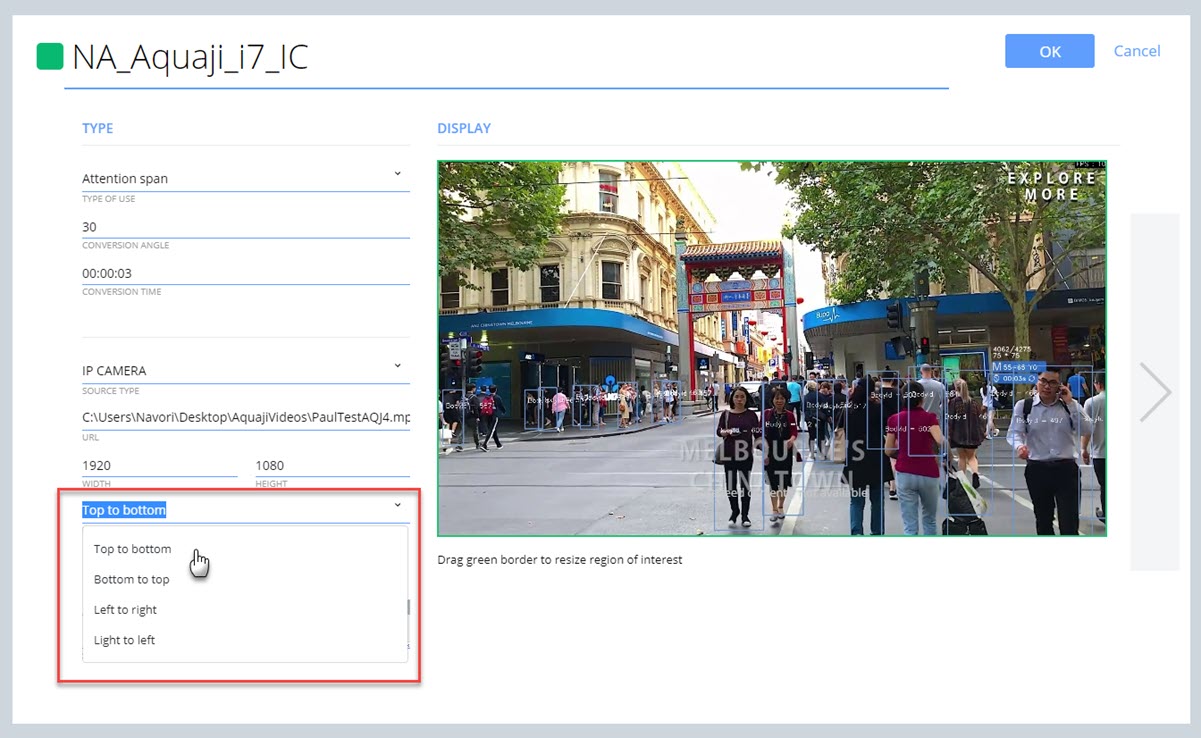
- Set the ENTRY FLOW DIRECTION to match the direction of the crowd.
Options are:
- Top to bottom
- Bottom to top
- Left to right
- Right to left