How to position your cameras
Camera positioning is critical as it will directly impact the software's ability to generate accurate and comparable data.
- Wall-ceiling: 8-12 feet above the ground
- Whole face and body shapes should be captured
- For Accuracy: People's faces entering/exiting the room should be entirely visible and represent a square of at least 80px by 80px in the video stream (4-5m with a full HD camera)
Counting foot traffic
Single entrance/exit
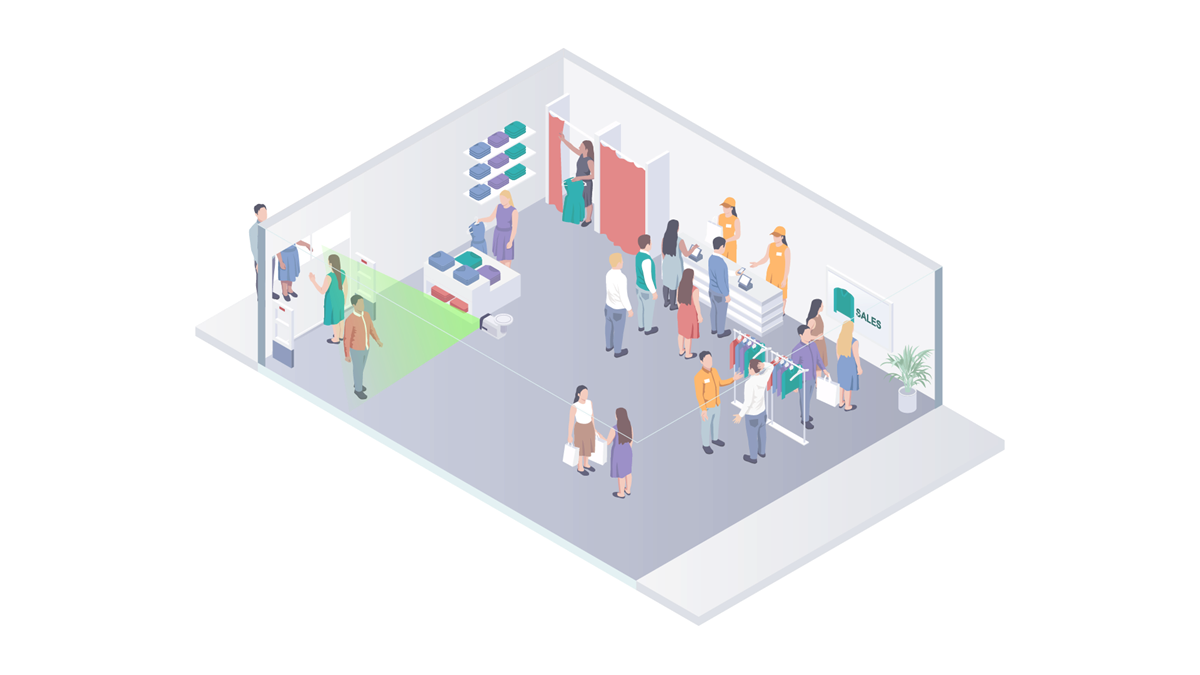
Features:
- This configuration is used for counting foot traffic with raw demographic data only (body shape counts).
- Can't distinguish between visitors & staff, or reject duplicate counts.
- Returning visitor detection is optional.
Camera positioning
- Requires a single camera.
- Incoming visitor's faces should be entirely visible and represent a square of at least 80px by 80px in the video stream (4-5m with a full HD camera).
- Aim the camera directly towards the entrance – Do not mount camera too high or at too much of an angle to the area you wish to scan.
Multiple entrances/exits
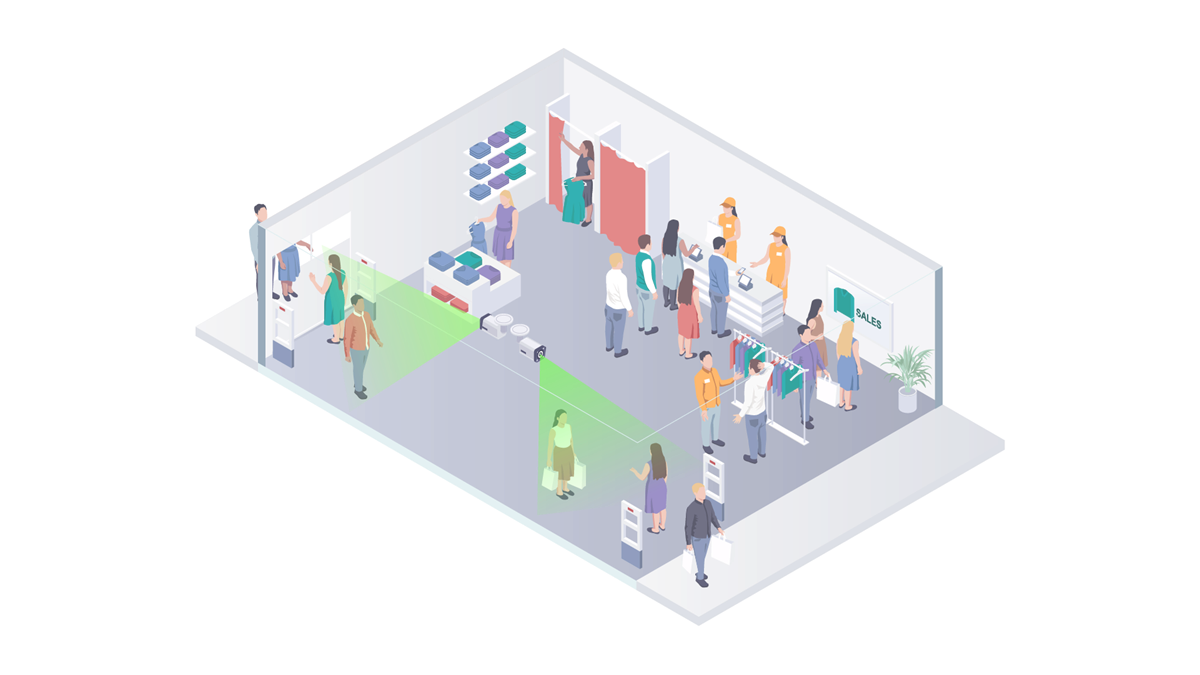
Features:
- This configuration is used for counting foot traffic with raw demographic data only (body shape counts).
- Can't distinguish between visitors & staff, or reject duplicate counts.
- Returning visitor detection is optional.
Camera positioning
- Requires two cameras. one to scan people entering and one for people leaving.
- Incoming visitor's faces should be entirely visible and represent a square of at least 80px by 80px in the video stream (4-5m with a full HD camera).
- Aim the camera directly towards the entrance – Do not mount camera too high or at too much of an angle to the area you wish to scan.
Counting foot traffic and calculating length of stay
Single entrance/exit
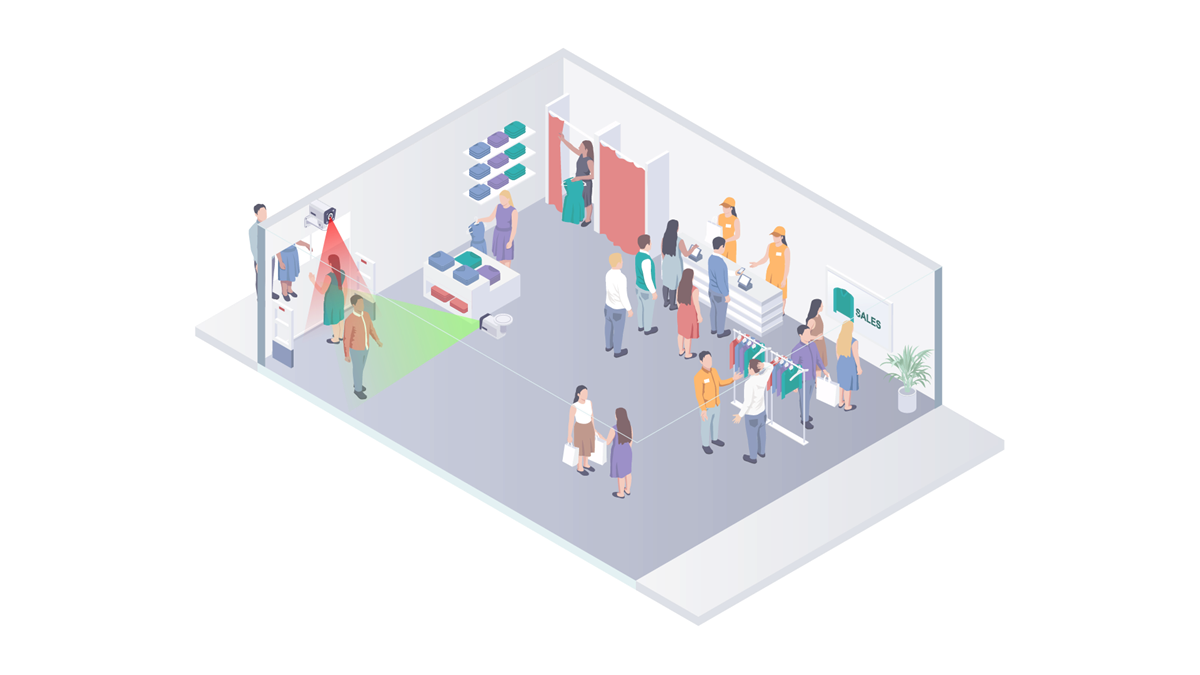
Features:
- This configuration is used for counting foot traffic and calculating length of stay.
- Full demographic data captured.
- Can distinguish between visitors & staff. No duplicate counts.
- Returning visitor detection is optional.
Camera positioning
- Requires two cameras. one to scan people entering and one for people leaving.
- Incoming visitor's faces should be entirely visible and represent a square of at least 80px by 80px in the video stream (4-5m with a full HD camera).
- Aim the camera directly towards the entrance – Do not mount camera too high or at too much of an angle to the area you wish to scan.
Counting foot traffic and calculating length of stay
Separate (one-way) entrance and exit
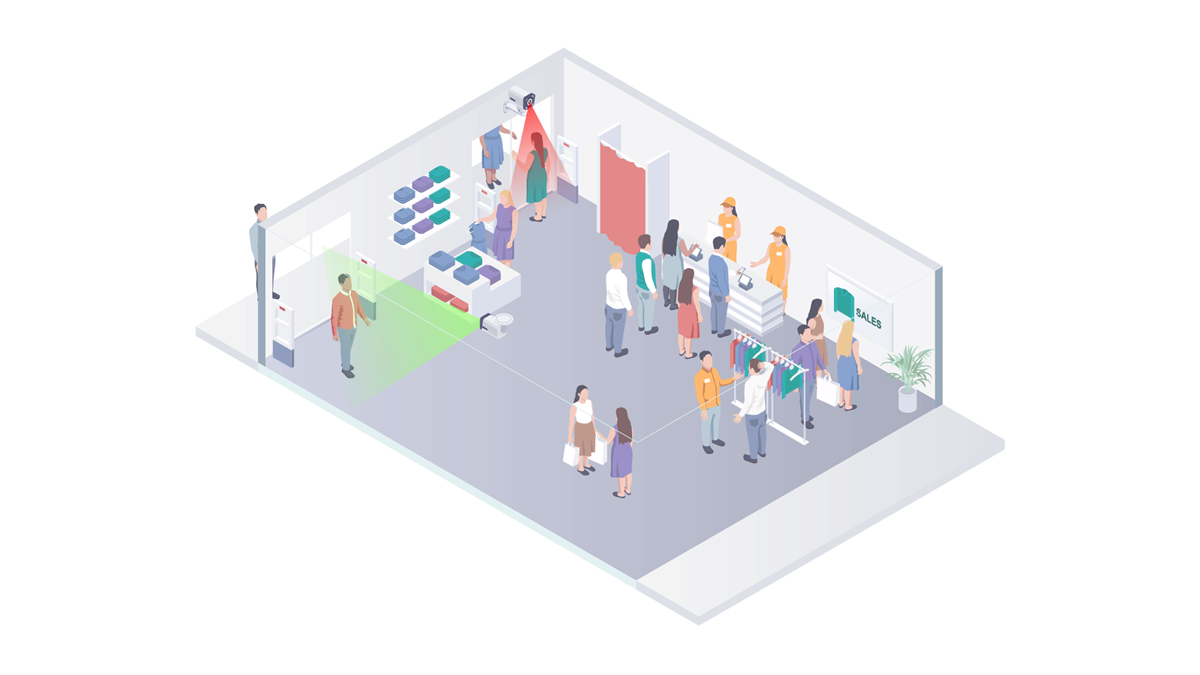
Features:
- This configuration is used for counting foot traffic and calculating length of stay.
- Full demographic data captured.
- Can distinguish between visitors & staff. No duplicate counts.
- Returning visitor detection is optional.
Camera positioning
- Requires two cameras. one to scan people entering and one for people leaving.
- Incoming visitor's faces should be entirely visible and represent a square of at least 80px by 80px in the video stream (4-5m with a full HD camera).
- Aim the camera directly towards the entrance – Do not mount camera too high or at too much of an angle to the area you wish to scan.
Counting foot traffic and calculating length of stay
Multiple entrances and exits
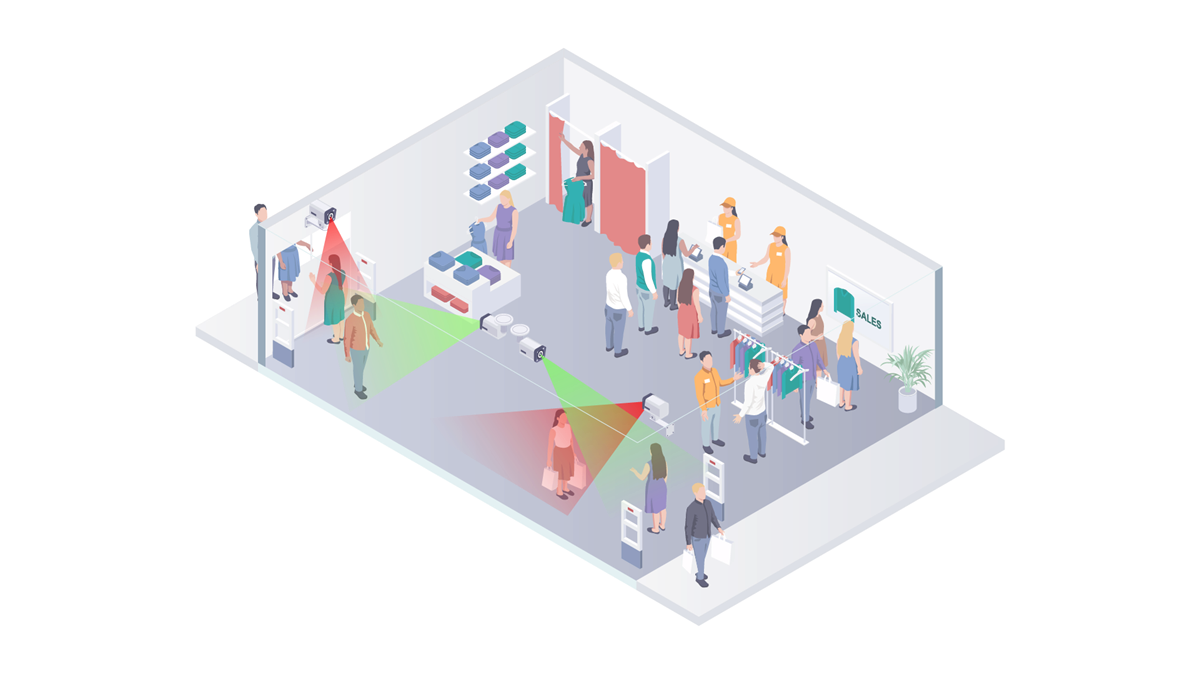
Features:
- This configuration is used for counting foot traffic and calculating length of stay.
- Full demographic data captured.
- Can distinguish between visitors & staff. No duplicate counts.
- Returning visitor detection is optional.
Camera positioning
- Requires four cameras. two per entrance — one to scan people entering and one for people leaving.
- Incoming visitor's faces should be entirely visible and represent a square of at least 80px by 80px in the video stream (4-5m with a full HD camera).
- Aim the camera directly towards the entrance – Do not mount camera too high or at too much of an angle to the area you wish to scan.
Calculating wait times
Single or multiple queues / lines
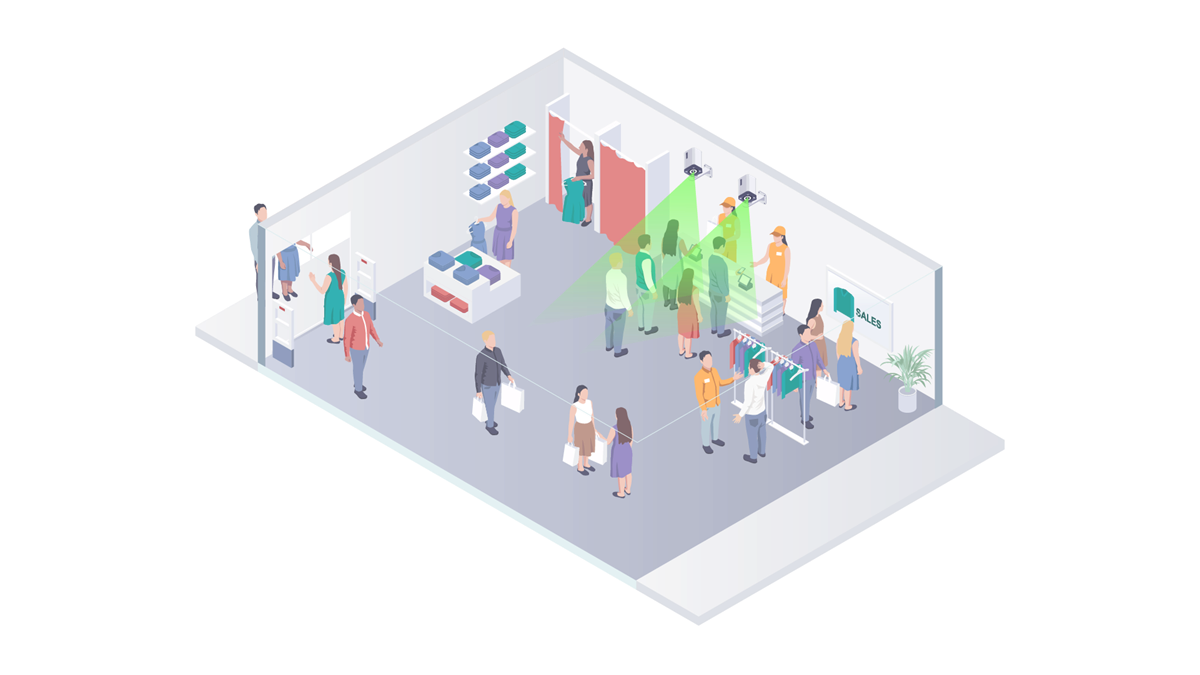
Features:
- This configuration is used for counting people waiting in line.
- Captures time spent waiting.
- Can't distinguish between visitors & staff, or reject duplicate counts.
Camera positioning
- Requires one cameras per waiting line.
- Aim the camera towards the waiting line – Camera can be mounted to a wall and at an angle to the area you wish to scan.
Attention span measurements — Opportunity to see (OTS) and conversions
Calculating audience exposure and audience engagement
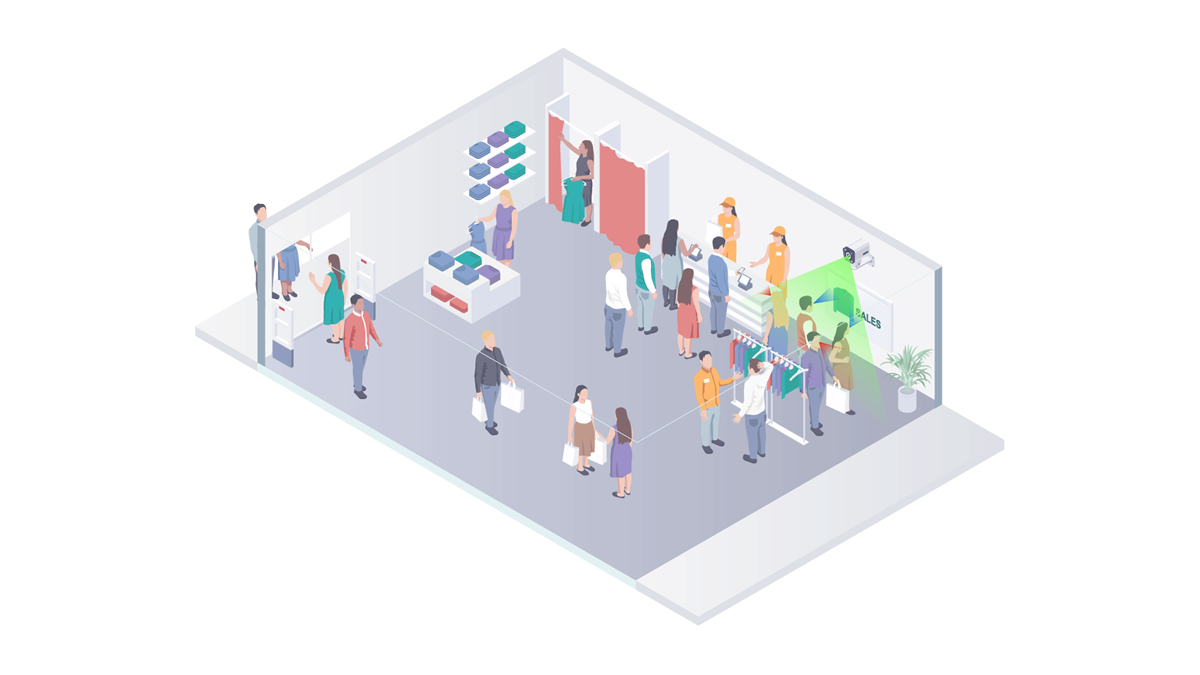
Features:
- Counting exposed visitors.
- Captures:
- Demographic information.
- Exposure time.
- Time spent watching.
- Can't distinguish between visitors & staff, or reject duplicate counts.
Camera positioning
- Requires one cameras per target display or product.
- Aim the camera towards the viewer – Camera can be mounted above or at an angle from the target (digital signage screen, product, store display, etc.), pointing towards the viewer.